How to Add/Modify Individual Absence Calendar Exceptions
This screen is used to add, modify or delete exception dates in the Absence General Calendar. The purpose of the Absence General Calendar is to register all board-wide holidays (or free days) which occur within a specified range of days. By default the Absence System counts Monday to Friday as working days and Saturday and Sunday as non-working days, unless otherwise specified within the lower level calendars. For example, an Employee will lose one full credit for an Absence on a Monday but will lose no credits for an Absence on a Saturday. This logic is hard-coded into the system. The Absence General Calendar over-rides this logic for the dates and credit loss amounts specified.
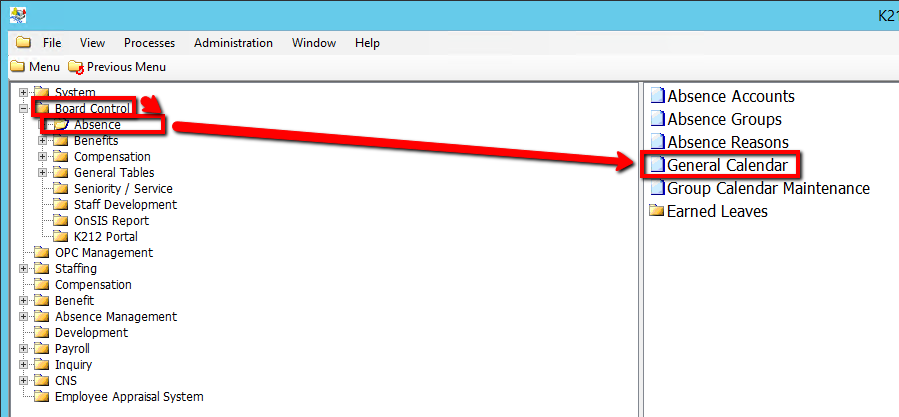
Use the following steps to Add/Modify Individual Absence Calendar Exceptions:
1. Click on Board Control
2. Click on Absence
3. Click on General Calendar
.png)
4. Right-click the grey grid below the Date column and Select New Record
.png)
5. Enter in the relevant information within the grid (All Fields Are Mandatory) (Consult the user guides for more information about each field)
6. Click the Save button to save your changes
.png)