How to Update the Employee Eligibility & Other Earned Leaves Information
This screen is used to make any manual adjustments, if necessary, prior to determining employee eligibility and allocating the Earned Leaves credits for eligible employees. The Union Codes table lists the details from the EC_EARNED_LEAVES table. The Employees Tab lists the details from the EC_EMPLOYEE_EARNED_LEAVES table. Use the Filter function on the grid to refine the details for easier editing.
Use the following steps to Update the Average Absence Factors & Other Earned Leaves Information:
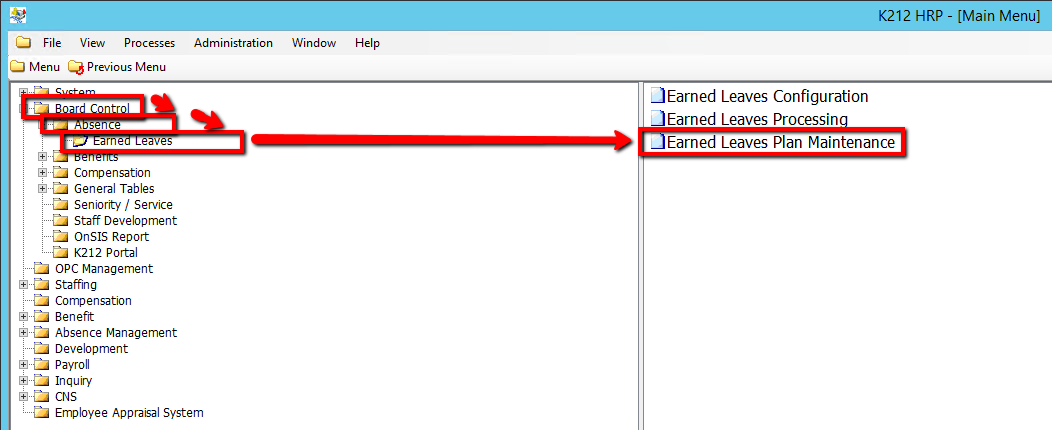
1. Click on Board Control
2. Click on Absence
3. Click on Earned Leaves
4. Click on Earned Leaves Plan Maintenance
.png)
5. Select the Employees tab & right-click the grey grid below the Union Code column and Select New Record
.png)
6. Enter in the relevant information in the grid or double-click a field in the grid to modify it (All Fields are Mandatory) (Consult the user guides for more information about each field)
7. Click the Save button to save your changes
.png)