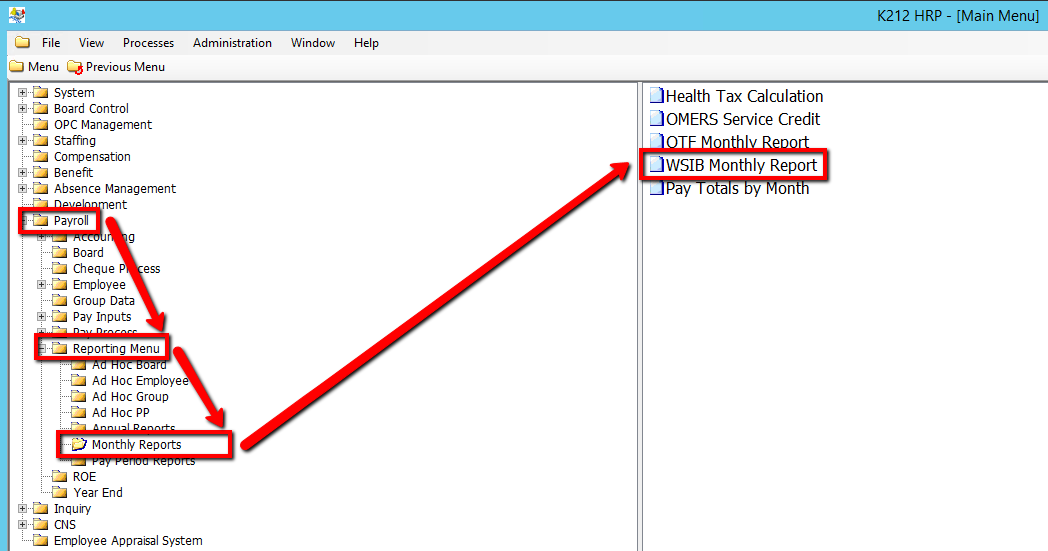
How to Run a WSIB Monthly Report
This process generates four Workplace Safety and Insurance Board (WSIB) reports.
Use the following steps to Run a WSIB Monthly Report:
1. Click on Payroll
2. Click on Reporting Menu
3. Click on Monthly Reports
4. Click on WSIB Monthly Report
.png)
5. Select a Report Specifications value
6. Select a Report Type value
7. Enter a Base Year value
8. Enter a Percentage Increase for Projections value
9. Select a Report Sort Sequence value
10. Click on the Submit button to generate the report
.png)