How to Run a Family Support List Report
This process creates the Family Support Report that lists all Employee Groups where deductions payable to Family Support have been taken during the last processed Pay Run.
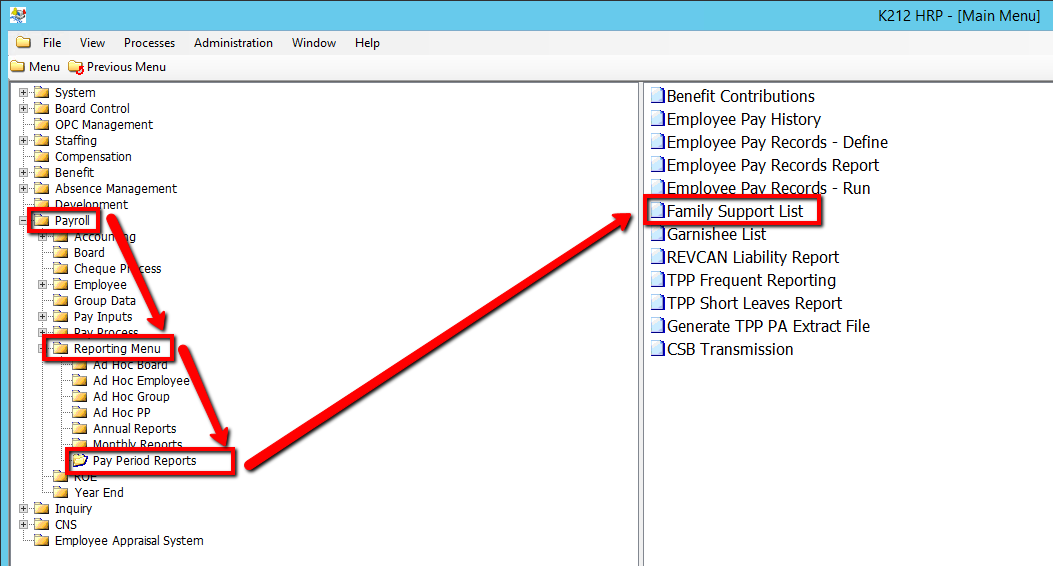
Use the following steps to Run a Family Support List Report:
1. Click on Payroll
2. Click on Reporting Menu
3. Click on Pay Period Reports
4. Click on Family Support List
.png)
5. Select an Employee Group Code value
6. Click on the Submit button to generate the report
.png)