How to Run a REVCAN Liability Report
This process produces the Revenue Canada Liability report.
Use the following steps to Run a REVAN Liability Report:
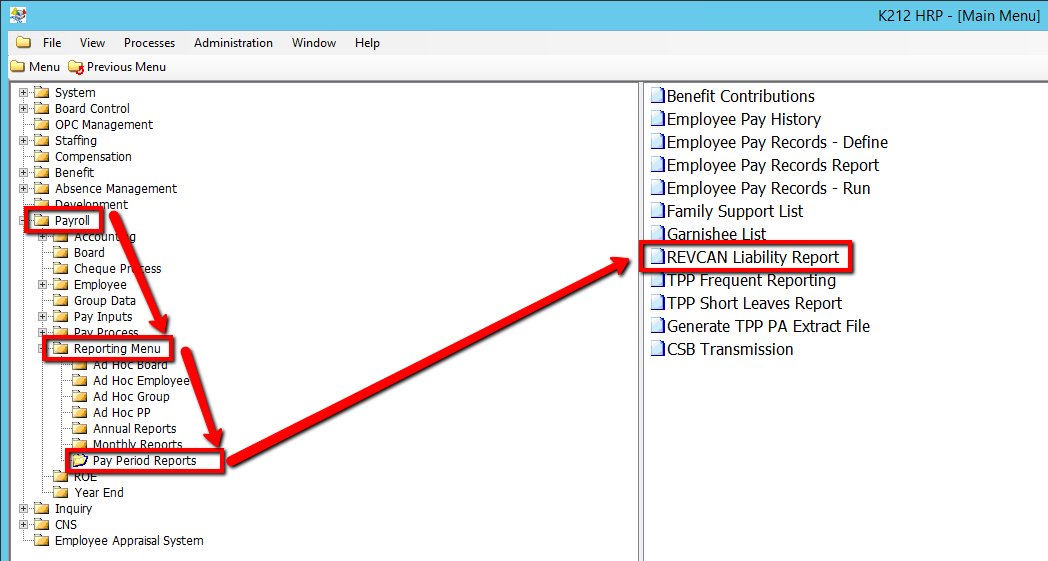
1. Click on Payroll
2. Click on Reporting Menu
3. Click on Pay Period Reports
4. Click on REVAN Liability Report
.png)
5. Select a From Cheque Date value
6. Select a To Cheque Date value
7. Click on the Submit button to generate the report
.png)