|
|
Business |
|
|
System |
|
|
Favorites |
|
K212 Help |
|
|
|
Indicates there are notifications. To delete all notifications, click on the Notifications icon, click on the delete icon to the right. |
|
|
No Notifications. |
|
|
Provides the following functions: Profile settings; Security settings Sign out. |
|
|
Inquiry information. |
|
|
Go to next field. |
|
|
Go to Previous column or field. |
|
|
Go up one page (depending on the Page Size setting, this will only work if page size is greater than 25). |
|
|
Go down one page (depending on the Page Size setting, this will only work if page size is greater than 25). |
|
|
Search for batches. |
|
|
Clears all fields and the grid. |
|
|
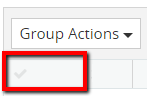
Click on the title 'check marks' to Select everything in the list. |
|
|
Further Options that can be applied to the whole selected group. |
|
|
Generates a Report. |
|
|
Closes the current screen. |
|
|
Preview. |
|
|
Export database. |
|
|
Next page. |
|
|
Previous page. |
|
|
Back to previous screen. |
|
|
Close current screen. |
|
|
Save the screen modifications. |
|
|
Cancel the current action. |
|
|
Undo screen edits. |
|
|
Edit screen fields. |
|
|
Select item. |
|
|
Accept selection. |
|
|
Accept all selected. |
|
|
Confirm action. |
|
|
View. |
|
|
Select all. |
|
|
Reset. |
|
|
Add new item. |
|
|
New role. |
|
|
New Record. |
|
|
|
|
|
Select a record. |
|
|
Drop-down sort menu. |
|
|
Sort in ascending order. |
|
|
Sort in descending order. |
|
|
Hide column. |
|
|
Reviews information. |
|
|
Delete. |
|
|
Next step. |
|
|
Continue action. |
|
|
File formats. PDF = Adobe file format; Excel file format; CSV = Comma, Separated, Value. |
|
|
Send item for approval. |
|
|
Approve an item. |
|
|
Reject the item. |
|
|
Cancels print. |
|
|
Browse folders and files. |
|
|
Generate a report. |
|
|
Clears grid. |
|
|
Expand all. |
|
|
Collapse all. |
|
|
Synchronize K212 with Active Directory. |
|
|
Column list. |
|
|
Selection check mark. |
|
|
Not selected. |
|
|
Calendar. |
|
|
Make current screen location a favorite. |
|
|
Indicates this section is a favorite. |
|
|
Search. |
|
|
Refreshes the screen. |
|
|
Add/Declares a conviction. |
|
|
Removes a conviction. |
|
|
View all the convictions. |
|
|
View the current policy of our School Board. |
|
|
View the current Legal policy of your school Board. |
|
|
Prints a full cop of your current declared convictions. |
|
|
Search results will be arranged by two addition columns; Assignment and Grade. |
.png)
.png)
.png)
.png)
.png)

.png)
.png)
.png)
.png)
.png)
.png)
.png)
.png)
.png)
.png)
.png)
.png)
.png)
.png)
.png)
.png)
.png)
.png)
.png)
.png)
.png)
.png)
.png)
.png)
.png)
.png)
.png)
.png)
.png)
.png)
.png)
.png)
.png)
.png)
.png)
.png)
.png)
.png)
.png)
.png)
.png)
.png)
.png)
.png)
.png)
.png)
.png)
.png)
.png)
.png)
.png)
.png)
.png)
.png)
.png)
.png)
.png)

.png)
.png)
.png)
.png)
.png)
.png)
.png)