How to Add/Modify Criminal Offence Declarations
This screen is used to modify and delete criminal check information for an employee.
Use the following steps to Add/Modify Criminal Offence Declarations:
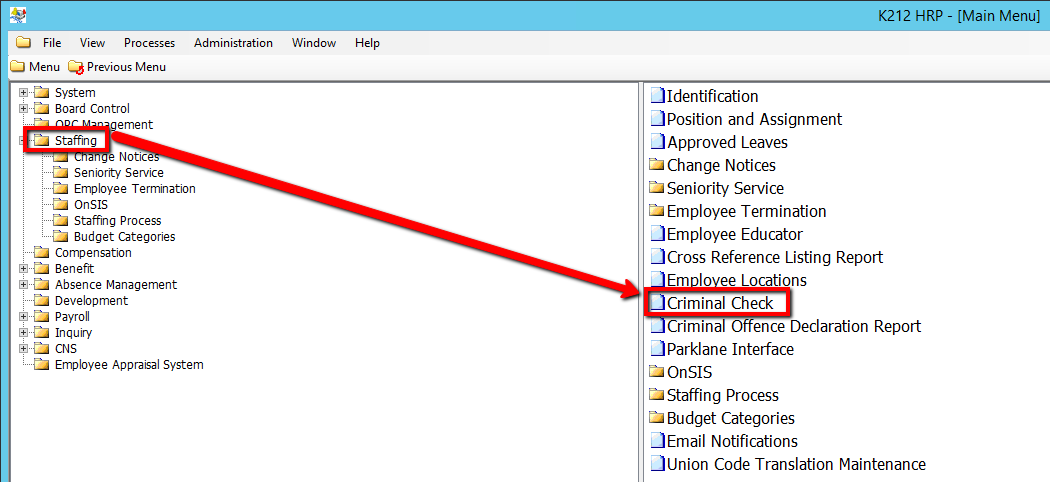
1. Click on Staffing
2. Click on Criminal Check
.png)
3. Click the Find button at top of the menu bar to see all current Records in the database.

4. If K212 HRP dialog box displays, click Yes to continue.
.png)
5. Select the Employee record you wish to modify in the left hand column.
6. Edit the relevant parameters by double clicking the grid under the specific column
7. Click the Save button to save your changes.
