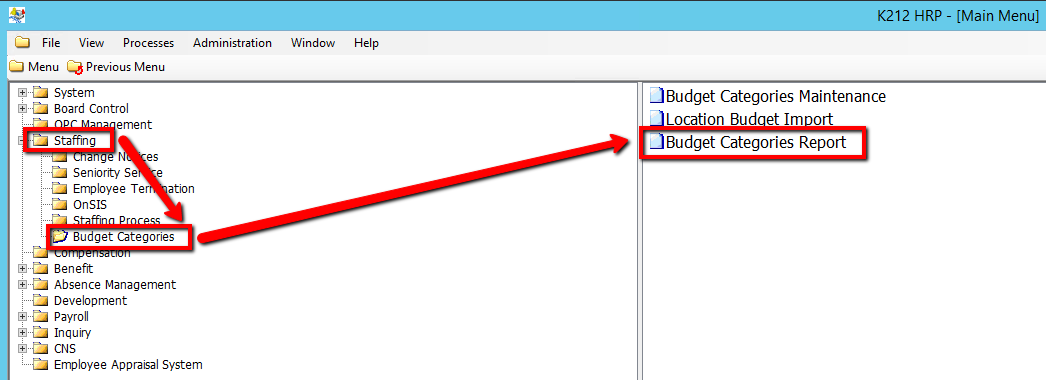
How to Run a Budget Categories Report
This screen is used to select reports and parameters to run with detailed budgeting information.
Use the following steps to Run a Budget Categories Report:
1. Click on Staffing
2. Click on Budget Categories
3. Click on Budget Categories Report
.png)
4. Select a As of Date value
5. Select a Category Code value (If applicable)
6. Select a View Comments? value (i.e N)
7. Select a Generate Reporting by Position? value (i.e Y)
IF Selected Y, select a Job Code value(If applicable)
8. Select a Generate Reporting by Location? value (i.e Y)
IF Selected Y, select a Location Code value (If applicable)
9. Select a Generate Reporting by Employee? value (i.e Y)
IF Selected Y, select a Employee ID value (If applicable)
10. Click on the Submit button to generate the report
.png)