Palm Synchronization
Send Maplewood data to the Palm device:
- Open Maplewood and choose File, PDA Synchronization.
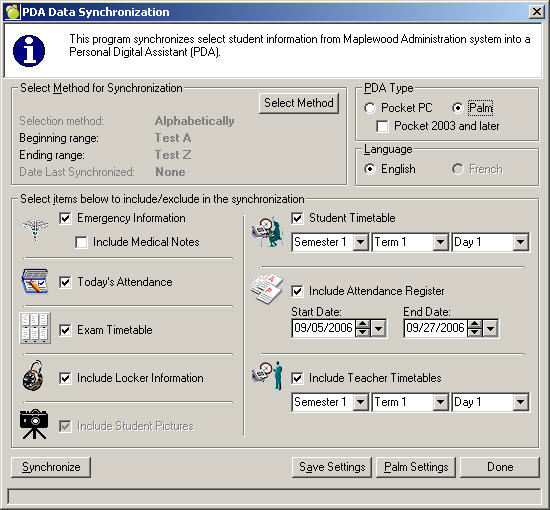
- Select the students to synchronize
- Select the Palm option
- Select items to include in the synchronization. Selecting minimal attendance register and timetable ranges will reduce the amount of time it takes to synchronize.
- Click Synchronize to send the data to the device
- The Palm device does not need to be inserted into the cradle until the HotSync button is pressed
- Press the HotSync button on the Palm cradle.
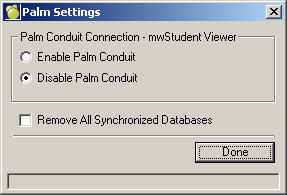
Palm Settings
Click Palm Setting to see this box. To keep these settings in memory for the next time you synch your Palm, click Save Settings.