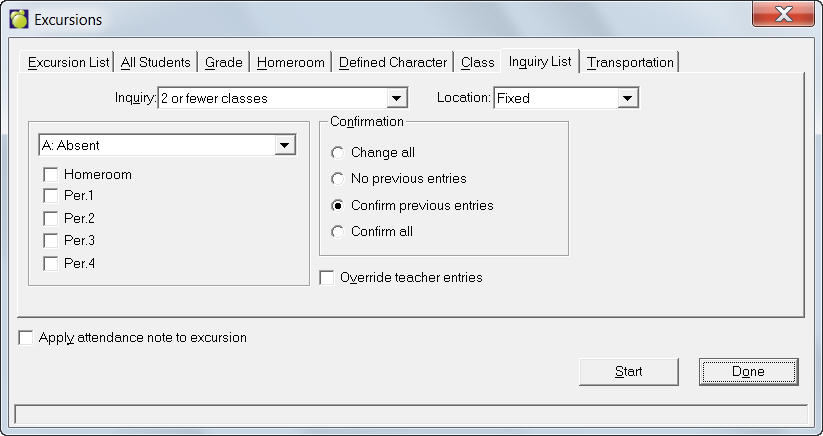
Before you take homeroom attendance, enter attendance information for all students in an excursion list. Choose Attendance, Enter Attendance, Excursions.
1. First, select the type of excursion list that you want to create by using the tabs:
2. On all tabs you will need select a code from the drop-down list to apply to each student's attendance record. Next, check one or all of: Homeroom and Period Numbers.
3. Next specify one of the following confirmation options:
4. You can specify to add an Attendance Note to each student's record.
5. You can specify to Override Teacher Entries, which means it will replace the attendance code no matter what the teacher has entered on the class attendance or teacher sheets.
6. Click Start.
The excursion lists can also be applied to all students (ex. students are not expected to be in class last period because there is a special event happening), a specific grade (e.g. all students in grade ten are attending a special assembly on drug awareness), homeroom, defined character, a specific class (e.g. Mrs. Brown's music class is going to a concert in period four), inquiry list (e.g. specified students from the inquiry list will be attending a special event), or a certain type of transportation (ex. all students on outbound bus three will be leaving early because the weather is expected to be poor). To use these options change the tabs across the top of the window and apply attendance codes, confirmation and notes as in any excursion list.
To set up (modify, add or delete) excursion lists, see Setting Up Excursion Lists.