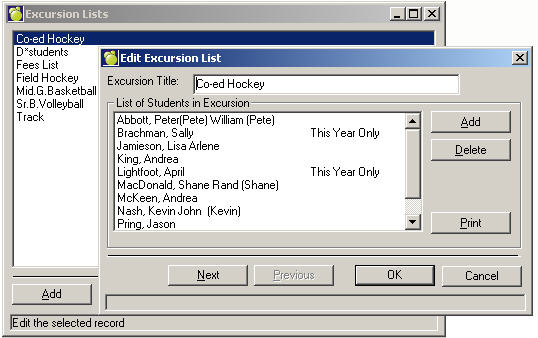
If groups of students are frequently missing school (e.g. sport teams, band, and choirs), these students may be entered into an excursion list. After the excursion list has been set up, the attendance for all the students involved in the excursion list may be recorded at one time (a big time saver). The lists of students in the excursions may also be printed for other purposes and they are even linked to the Report Builder function where you can create your own printout format (e.g. a list of names on the excursion with emergency contacts and blood types).
Use Attendance, Modify Excursion Lists to create the lists of students. A list of all excursion lists already set up will appear.
To add a new excursion list, click on the Add button. An excursion list that is already listed in the file can be edited by clicking on the excursion list name to highlight it, and then clicking on the Edit button, or by double-clicking.
Click Print to print the list of the excursion titles (not the students). If you click Add or Edit, there will be a Print button for each excursion list on subsequent boxes that will print the students for the respective excursion list.
When adding a new excursion list, you first enter the title (up to 20 characters) then click Add to enter the students who are associated with that list. Select the students by using the select student window that pops up.
See Entering Excursion Lists for more information.