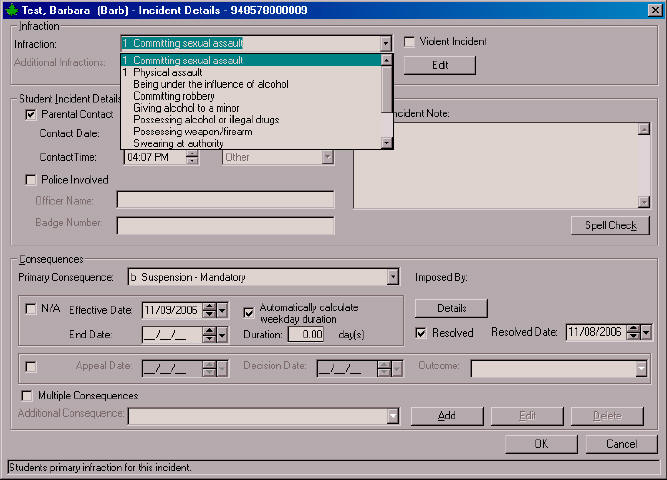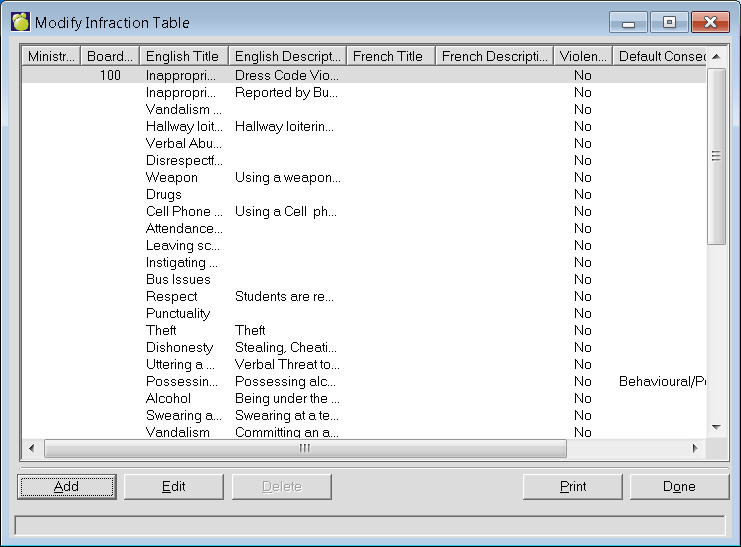
This table is initially populated from Maplewood based on the Ontario October Board Report suspension and expulsion criteria. If you are an Ontario school, it is strongly recommended that you do not alter the defaulted table entries (Ministry codes 01 to 05 and 19 to 25) as they will be of value when completing the October Board Statistical Report. Schools outside Ontario may delete or edit these first entries.
All schools can add to this list of incidents to include such things as Wandering the Halls, Excessive Lateness, Smoking on School Property, etc. Only a title (English or French) must be entered, and the other fields are optional.
To define an Infraction choose Incidents, Define Infractions. A list of Infractions (if any) will appear. To add an Infraction, click Add. To edit an existing Infraction, select the Infraction and click Edit. This is an example of an editing box. The adding box will look the same but will have no information entered.
If the infraction is categorized as violent, click the Violent checkbox. The incident will register as a violent when you select from the Additional Infractions Edit/Add box on the Adding Editing Incident Details screen.
To define an Infraction choose Incidents, Define Infraction. A list of Infractions (if any) will appear.
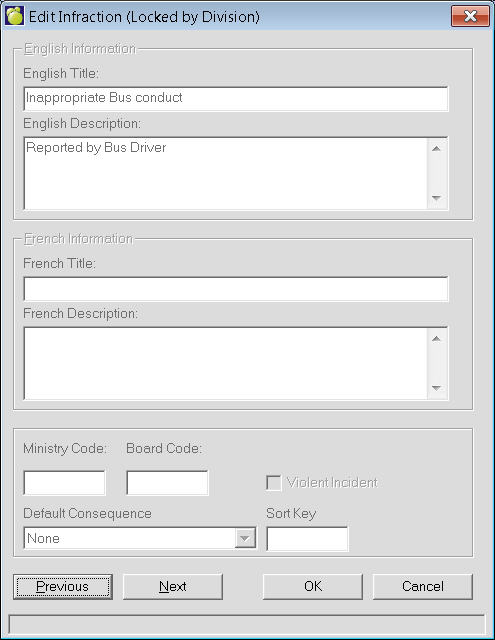
Sort Key - Enter a letter or numeric value if you wish. This will help users sort lengthy lists. When you edit each infraction, you can enter a number in the sort key field corresponding to the order you want it to appear when you enter an incident for the student. For example, if you enter 1 for the sort key for Bullying, it will be the first infraction that will appear in the drop-down list when you create a new student's incident. You could then put a number for each infraction to control the order they appear.
Another use for the sort key is to assign a letter to the infraction, and you can assign the same letters to the infractions. For example, you could enter S for the sort key for all suspendable infractions, and E for all expellable infractions. The ones you don't want used can have nothing entered for the sort key and they'll appear at the end of the list. The list would then display all the "E" codes then all the "S" codes and then all the ones without a code.