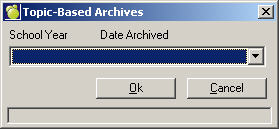
You can view an archived topic-based marks by choosing Marks, Topic-Based Marks, View Archives.
Select a database from the first box. This is archive is set up automatically n a clsmgr\archives folder when you choose File, Maintenance, Topic-Based Marks, Utilities. On this window, choose File, Maintenance, Archive Database.
Click here for more information.
A Select Class box will appear. Once you have selected a class, Classroom Manager will display the archived information.