School Term
At the start of each new school year (September), the SDS system requires an update to the information on the school’s term start and end dates. The term information is based on the semester start and end dates defined in your calendar. Although it is optional (The Ministry of Education will automatically create terms (without descriptions or names) to support classes sent by the school), schools using Maplewood should create the school term file in Maplewood. Before creating this file, refer to the School_Term_File_Description. This information must be accurate before commencing with this process.
To create the file containing the term information,
This creates the file TRM123456_yymmddhhmm.XML in the Maplewood\Export\Realtime folder (where 1234567 is the school number, yy is the year, mm is the month, dd is the day, hh is the hour, and mm is the minute). We suggest that you view the contents of the resulting file to ensure that it appears to contain the desired information.
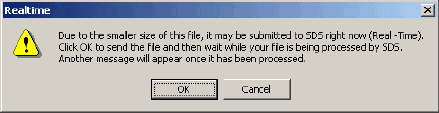
To transfer the file to Saskatchewan Learning’s SDS through the internet:
Maplewood Default Filename: TRM#######_yymmddhhmm
School Term (XML Object 1.1)
This object allows the school to set up their terms, including a brief description or name of each term. Although it is optional (the Ministry of Education will automatically create terms (without descriptions or names) to support classes sent by the school), schools using Maplewood should create the school term file in Maplewood.
In the file created by Maplewood, the elements in the chart below are repeated for each possible term setup in the school’s calendar. Elementary schools tend to have one school term while secondary schools tend to have more depending on the number of semester and terms in the school. The action code will always be “Add?.
|
Elements |
Description/Notes |
|
SchoolTerm RefId |
Required. The reference ID for returning messages. This is automatically generated by Maplewood. |
|
SchoolID
|
Required. The department-assigned number of the school the term is for. This is the school’s number as shown in File, School Setup, School Information. |
|
TermInfo
SchoolYear |
(XML Elements 2.4) The following elements are included in the file:
The school year of the term, expressed as both four-digit calendar years that the school year spans with a hyphen between (e.g. "2012-2013"). This is based on the calendar defined by the school as shown in File, School Setup, Calendar, Edit.
|
|
StartDate |
Start date of the term (based on the school’s calendar). |
|
EndDate |
End date of the term (based on the school’s calendar). |
|
Description |
Text name or description of the term. Maplewood will automatically generate the description (e.g. Full Year or Semester 1, Term 1). |