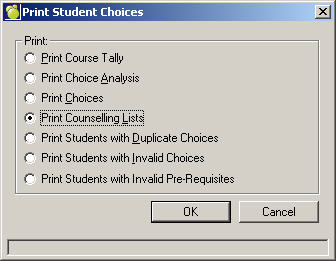
Print Counselling Lists
If a course is going to be cancelled, you must find out which students have selected that course as one of their choices. A Counselling List will provide the required information. Choose Scheduling, Print Students Choices, and click Print Counselling Lists.
A counselling list prints the names of the students who have selected a specified course as one of their choices and may include homeroom numbers and designations, grades, and choices. Counselling lists provide the necessary information to help the guidance counsellors and the students make decisions on course changes.
The students who have selected a cancelled course will need to have the cancelled course removed and a new course added to their choices. Change the students choices using one of the following methods:
Modify each students choices individually. See Make Changes to Students Choices.
After the course has been removed from the choices of the students who requested it, you can remove the cancelled course from the scheduling Courses File by choosing Scheduling, Modify Files, Courses, selecting the course and clicking Delete. This prevents the cancelled course from being listed in subsequent print-outs.