Staff Attendance Tab - Caribbean Community and Common Market only
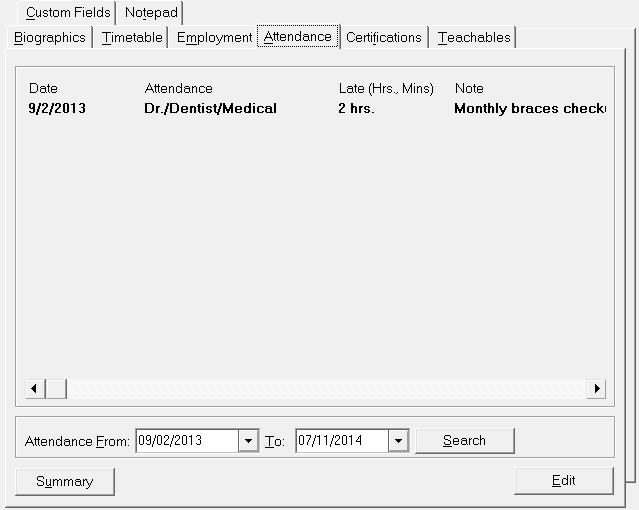
The Attendance tab allows attendance to be entered for staff. Choose Staff Records, (select a staff member), click the Attendance tab. To set up attendance codes choose Staff, Custom Fields/Tables, Attendance Codes.
This report provides information to the Ministry of Education on staff attendance, particularly their punctuality.
On the attendance tab, if the note does not all appear on the screen, use the scroll bar to move the information to the right, or hold the mouse on top of the note and the “tool tip” will appear showing the contents of the note in a yellow box.
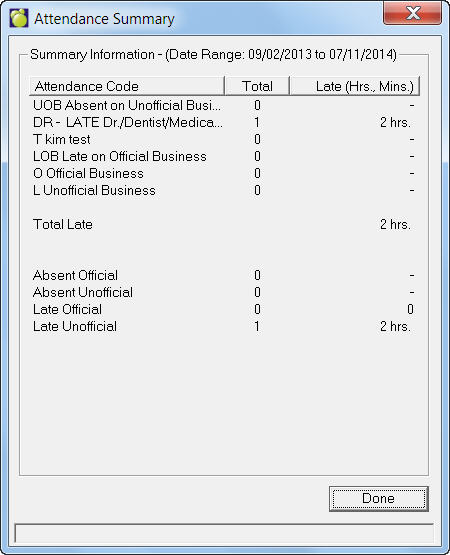
- The Summary button will show a breakdown of the staff member’s attendance:
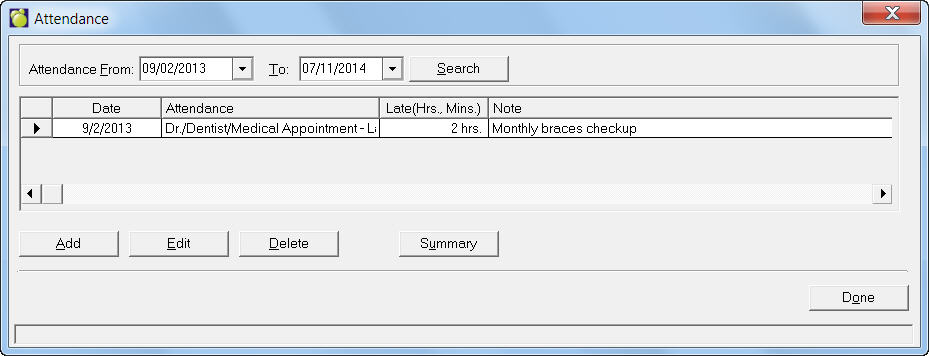
Note: Within the Edit form, you can select a date range and use the Summary button on that screen to see the information for just that date range.
On the Attendance tab, you can enter attendance by clicking the Edit button. You'll see this initial Edit screen:
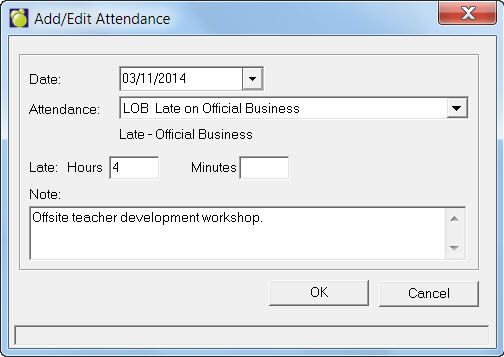
Use the Add button to add a new day’s attendance, use Edit or Delete to modify or delete the information for the selected date (click on the row). Here’s an example Add entry showing an attendance code that will be reported to the Ministry of Education as Late. Late attendance will also require the entry of the number of hours and minutes late. If a note is entered, it will be included in the Teacher’s Monthly Attendance Report.