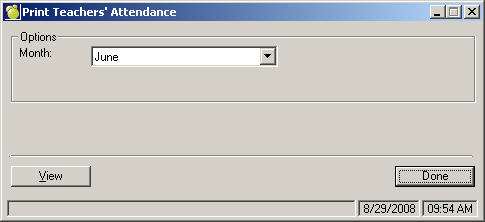
There is a report that provides information to the Ministry of Education on staff attendance, particularly their punctuality. This report is available using Staff, Teachers’ Monthly Attendance Report. To print a list of teacher timetables, choose Staff, Teacher's Monthly Attendance Report. Select the Month to be printed and click View.
A report will be generated similar to this example:
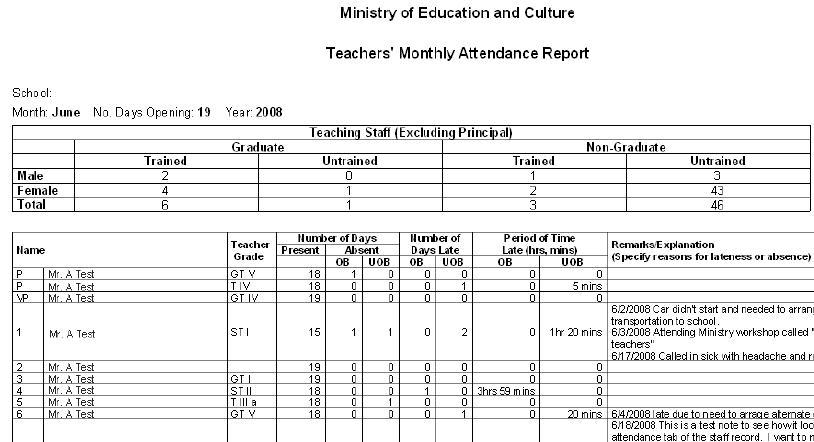
Teacher's Monthly Attendance Report Breakdown
The information at the top of the report (shown above) is based on the Teachables tab in the staff member’s record and the gender on the Biographics tab. This includes the Trained/Untrained and Graduate/Non-Graduate determination.
On the Biographics tab, there is a check box labeled “Teach?”. If this box is checked, then the staff is considered a teacher and is included in the report. The Role field in the staff records is used to determine who is the principal (Role field must have P) and vice-principal (Role field must have V). Staff with Role P are excluded from the Graduate/Non-Graduate statistics at the top of the report, however a role V with the Teach box checked is included. If a staff member is deleted, they will still appear in the report if the staff member was still teaching at the school on the last school day in that month, and has deleted staff member’s role is T (since the Teach box is automatically unchecked).
The number of Days Opening is based on the information in the school’s calendar. Holidays, Grant Days (days where the school is closed for unusual situations), and Board Holidays are excluded from the count.
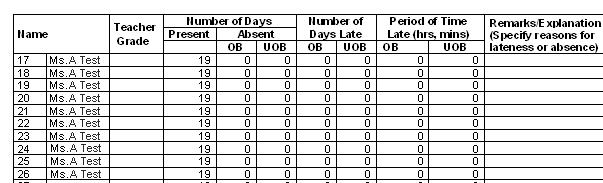
The specific staff attendance information (shown above), uses the teachers’ Teacher Grade field on the Teachables tab, along with the attendance information on the Attendance tab.
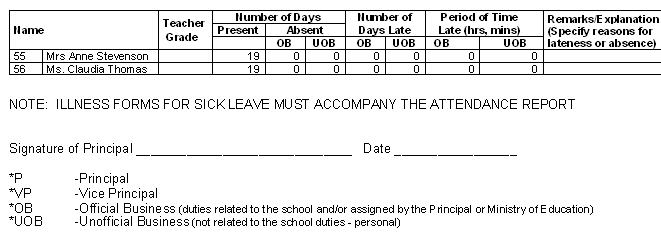
The last page of the report includes an area for the date, the Principal’s, and some additional notes:
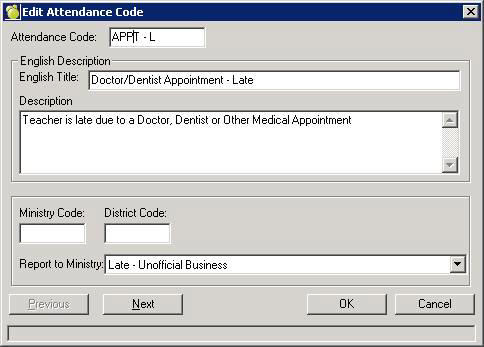
Prior to the entry of staff attendance, the table of attendance codes must be set up using Staff, Custom Fields/Tables, Attendance Codes. As shown below, each code is assigned a code (e.g. APPT-L as shown in this example), and then a title is assigned. Both the letter and the title are displayed when entering the teacher's attendance. The important part is the Report to Ministry field. The code must set up as either Absent or Late Official or Unofficial Business. This field will control how it is reported on the Teacher's Monthly Attendance Report. As well, when it is a late code, it will trigger the entry of the number of hours or minutes late which is also included in the Ministry’s report. 'Not reported to Ministry' is for any attendance codes the school wants to track, but do not wish included in the official report.
All notes will appear on the official report (unless the attendance is not reported to Ministry).
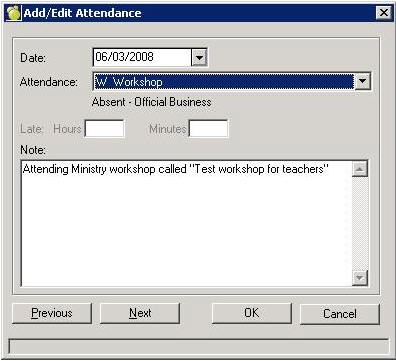
In the teacher's record, the attendance tab is used to enter the attendance when the staff member is absent or late. Here's an example:
This is an official business absent code and note how the late information is disabled.