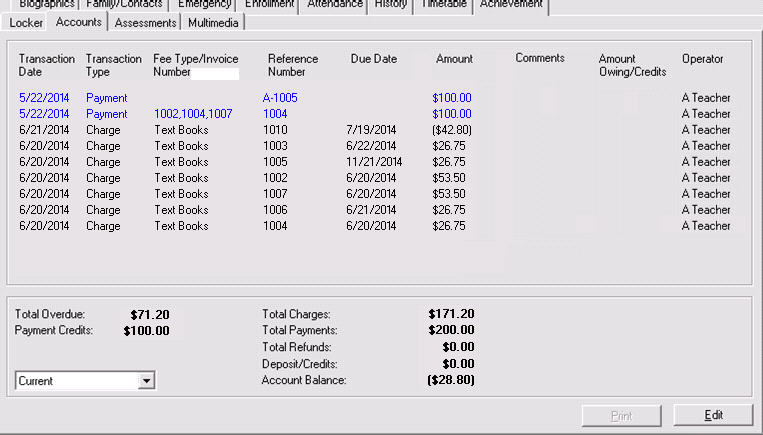
Choose Students, (select student), Accounts tab.
This new tab contains information pertaining to the financial activity of a student at a school. It can be used to record fundraising information, uniform, book and in some instances, tuition. Prior to using the Accounts tab in the student record, please be sure to have defined the Accounts database from the main Maplewood screen.
The Operator column displays who entered the charge or payment in Maplewood.
Edit Accounts
To edit the account for the currently selected student, click Edit. Note: You can also access this screen by choosing Accounts, Assign Fees, and selecting a student.
For complete Accounts information please see section 7: Accounting.