At the end of the school year, students who are not returning to this school are automatically transferred to the Past Students area of the Maplewood Administration system. The information recorded for these students can be accessed through the Past Students option. Past students records maintain all the information that the current student records maintain, except for those items that are related to the current timetable (e.g. timetable, attendance, current achievement) and bus information. These tabs are similar to the Current Student tabs, and may be edited as the Current Student tabs. For more information, use the Current Student links below:
Assessments
Just for the beginning of the new school year, the option Transfer To Current (within the Transfer to New School Year option in Scheduling) transfers all students who are designated as "Current Only" (i.e., not planning to return to this school) or "Deleted" to the Past Students area of the Maplewood system.
Manual Entry
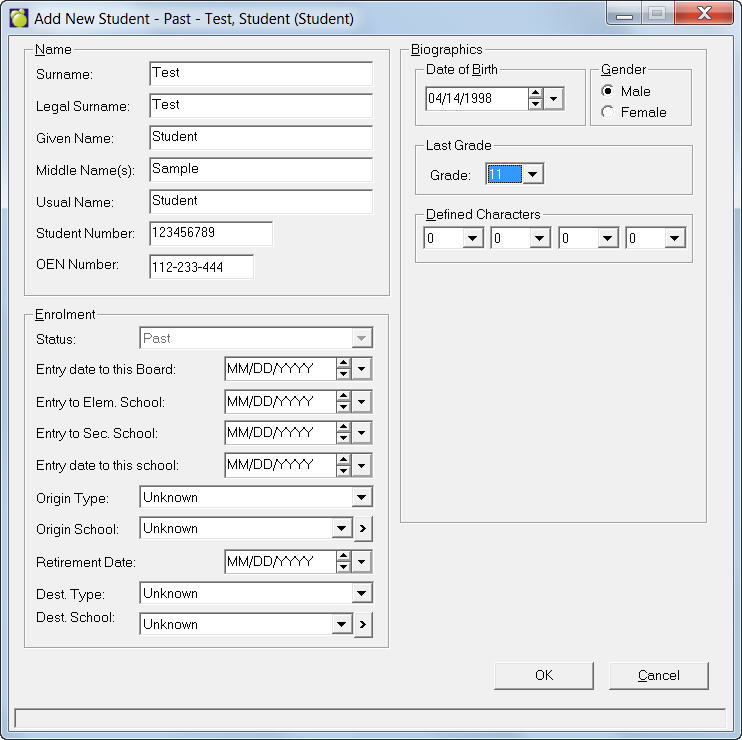
If you wish to add a student manually, choose Students, Add Past Students to see an Add New Student box. Enter applicable information and click OK to save the record.